Quick start · First 10 minutes
Opens in the chart
No account, no setup screen — NovaStation launches straight onto a live BTC/USDT chart.
Free Lite + 7-day trial
Explore the workspace free, then unlock everything for 7 days with no card.
Premium, activated in-app
Your license key is emailed after checkout and entered in the app. No second portal, no second login.
Get started with NovaStation in your first 10 minutes.
NovaStation is a free download that opens straight into the chart. This is what to do next — what to explore in free Lite, and what unlocks the moment you start the 7-day Premium trial.
Want the whole picture first? See the seven stages of the loop.
First 10 minutes
Your first ten minutes in NovaStation.
First launch to full loop, in the order the app presents it. Nova Journey can walk you through the same steps inside NovaStation.
Minutes 1–3 · Get oriented (free Lite)
- Open NovaStation. It launches straight onto a live BTC/USDT chart — no account, no license dialog, no setup screen.
- Start with the chart. Switch symbols and read the 1D chart preview, and add overlays like moving averages to get a feel for the workspace.
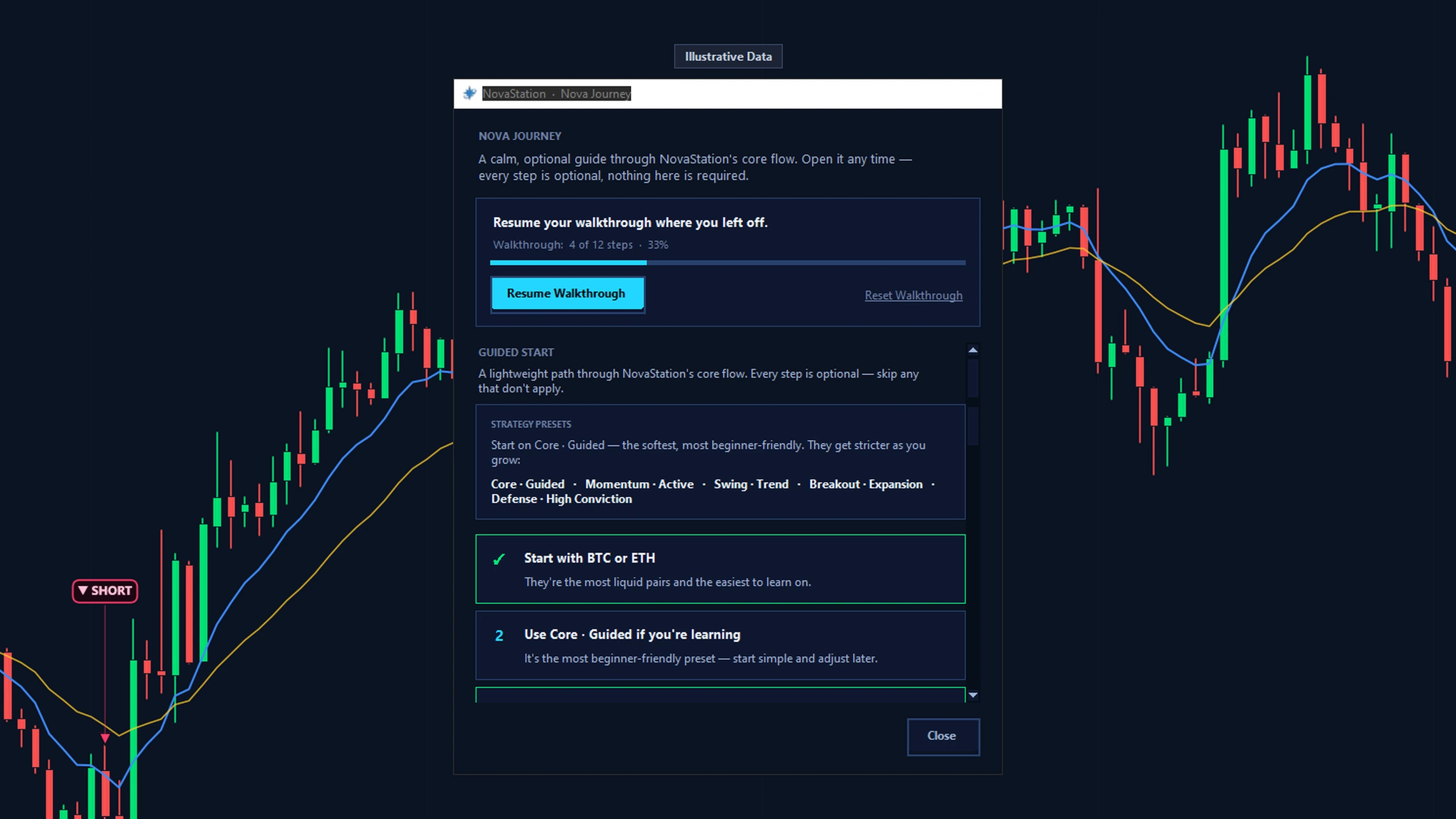
- Let Nova Journey guide you. New to this? The optional Nova Journey companion walks you through each step in plain English. Keep it open, minimize it, or switch it off anytime.
- Know what Lite includes — and doesn't. Lite is the chart on the 1D timeframe, free with no expiry. Signals, signal markers, alerts, NovaPulse, Signal Twin, paper trading, and NovaInsights are Premium — and free to try on the trial.
Minutes 4–10 · With the trial or Premium
- Start the 7-day Premium trial. Click Start your 7-day Premium trial in the app — no card. It unlocks the 15m / 1h / 4h timeframes and the full workstation for 7 days, then reverts to Lite.
- Explore signal markers. Watch setups get marked on the chart with a plain-English read of what the engine sees and what to watch next.
- Read why it fired. Open the reasoning drawer on the chart: the main reason the setup formed, the main blocker holding it back, and the gate checks behind it — RSI, trend, volume and multi-timeframe confirmation, all of which you control.
- Compare with Signal Twin. Pull up similar setups from the past and how they tended to resolve — outcome stats, common failure patterns, and Ghost Paths. Historical context, not a prediction.
- Check NovaPulse & alerts. See Daily Pulse alerts for notable moves across your watchlist, and route alerts to Discord, Telegram, a webhook, or the desktop.
- Try simulated paper trading. Place a manual or automatic practice trade — simulated only, no real money and no exchange-account connection or order execution — to see how the idea plays out.
- Review in NovaInsights. Look back at your signal, alert, and paper-trade history to see how setups resolved and learn from them.
Activate Premium
Activation, in three moves.
Ready to activate Premium? Subscribe, open the license email, then enter your checkout email and license key inside NovaStation.
In the license email
- Your Premium NSP license key, sent automatically to your checkout address
- The activation steps, and where to reach support