Why NovaStation · $14.99/month
The reason travels with the mark
A setup arrives with the read behind it: what supported it, what held it back, what would have to change.
History sits beside it, not instead of it
Comparable past setups, how they resolved, and how thin or strong the sample was — stated, never hidden.
And it all stays in one place
Chart, comparison, practice and review are one Windows app instead of three tools that never quite fit.
Most tools hand you a signal. NovaStation keeps the reasoning attached to it.
NovaStation is a Windows crypto analysis workstation that shows why a setup formed, compares it with similar historical evidence, and lets you practice and review the decision without risking real money.
Three reasons
Three reasons it is different.
One subscription. Three differences in how a setup gets read.
Chart-first context
Signals, comparisons and alerts all render against the chart they came from. Nothing arrives as a stand-alone number.
Explainable signals
Every setup carries its own read — the main reason it formed, the main blocker, and what would improve it. Signal Twin then puts it beside comparable history. Context, not a prediction.
Practice and review in one app
Paper trading and NovaInsights use the same chart and signals you just read. Simulated only. No real trades.
The loop
How the connected loop works.
Four moves you can stay inside. All seven stages, in order, are on the How it works page.
Watch the right symbols
A watchlist keeps your chosen markets one click away. No tab-hopping to refresh a price.
Read price with structure
Overlays and indicator panels give the chart more weight in the decision — without overwhelming it.
React on signal, optionally on alert
Signals fire on chart. Discord, Telegram, webhook, or desktop alerts are available when you step away.
Test on paper before you commit
Paper trades run inside the same app so you can validate setups before risking capital.
In plain terms
What it is, and what it is not.
A market-monitoring and decision-support tool: a cleaner workspace for reading the market, and a place to practise your own decisions. The two lists are the whole claim.
What it is
- A Windows desktop crypto analysis workspace
- A chart-first layout with configurable overlays and indicator panels
- An on-chart signal engine that writes out its own read — the main reason, the main blocker, and the conditions behind each setup
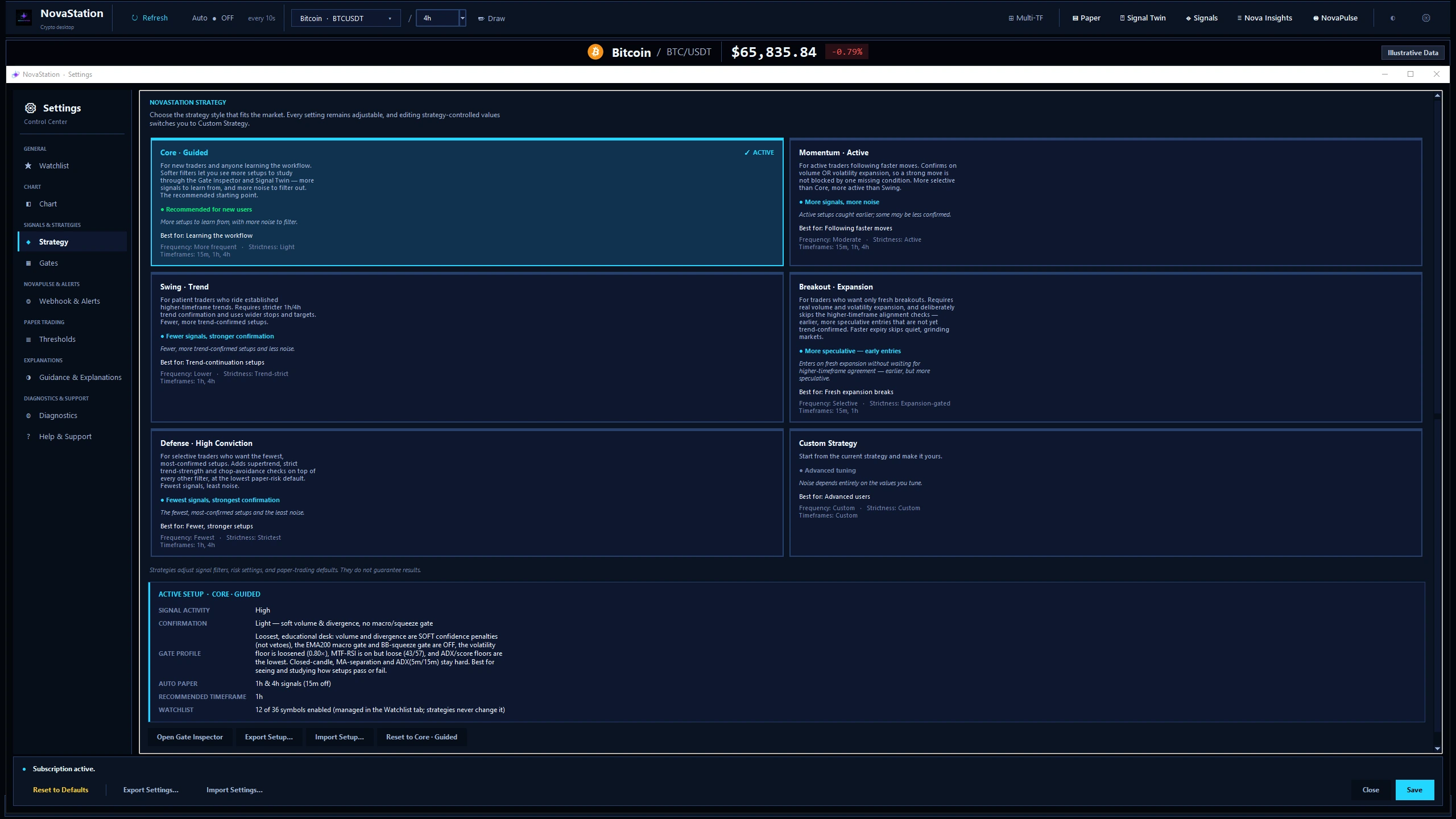
- Strategy presets (Core, Momentum, Swing, Breakout, Defense) plus Custom Strategy
- Signal Twin and Market Memory — compare a live setup against similar historical ones
- NovaPulse market awareness, with alert routing to Discord, Telegram, webhook, and desktop
- Built-in manual and automatic simulated paper trading for practice
- NovaInsights — review your signal, alert, and paper-trade history
- Optional Nova Journey onboarding that guides new users in plain English
- Local-first — paper trades, settings, and history stay on your machine
What it is not
- Not financial advice or a recommendation to buy or sell
- Not a broker or exchange — it does not place real orders
- Not an auto-profit system or "trading bot"
- Not a replacement for personal risk management
- Not a guarantee of signal accuracy or future performance