Your starting path

Monitor markets and alerts

Know what NovaStation is watching and why it triggered.

Set NovaStation to watch the pairs you care about, and get the reasoning attached when one of them triggers.

4 chapters Chart · Inspect · Monitor · Review

Download NovaStation Download for Windows View Windows Download View Windows Download Details Read the Quick Start

Lite is free and does not require an account. Create an account when you want to manage Premium, your license, billing, or devices.

NovaStation requires Windows 10 or 11. You can prepare your account here and download it from a Windows PC.

NovaStation is a Windows desktop app. Lite remains free and does not require an account.

NovaStation requires a Windows 10 or 11 PC.

NovaStation's Signal Review window over a recorded BTC/USDT 4h market snapshot: the engine's verdict for the last evaluated candle — Neutral, strength weak, stand aside, no setup — above the trend, momentum and volume checks it ran, and a plain-language note on what it is waiting for next. The window states it is for analysis and paper-trading practice only, and the frame is labelled Historical Market Snapshot.
Signal Review on a recorded snapshot. This candle produced no setup — the verdict reads Neutral, stand aside — and the window says what it is waiting for next.

Where this path fits

  • ChartIn this path
  • SignalLater, in the app
  • InspectIn this path
  • CompareLater, in the app
  • MonitorIn this path
  • PracticeLater, in the app
  • ReviewIn this path

This path focuses your first visit. The full NovaStation loop remains available in the app.

Chapter 1 of 4 · 0 of 4 read · 0%

  1. Chart Current chapter
  2. Inspect Not read yet
  3. Monitor Not read yet
  4. Review Not read yet
The path

4 chapters, in the order the loop runs.

Chapter 1 of 4 Chart

Decide what is actually worth watching.

Decide what is worth watching. A watchlist you did not choose deliberately is just noise with a notification sound.

What to look for

How a pair behaves on the timeframe you would actually check. A watchlist is a commitment to read something later.

A short deliberate watchlist beats a long one you stop opening.

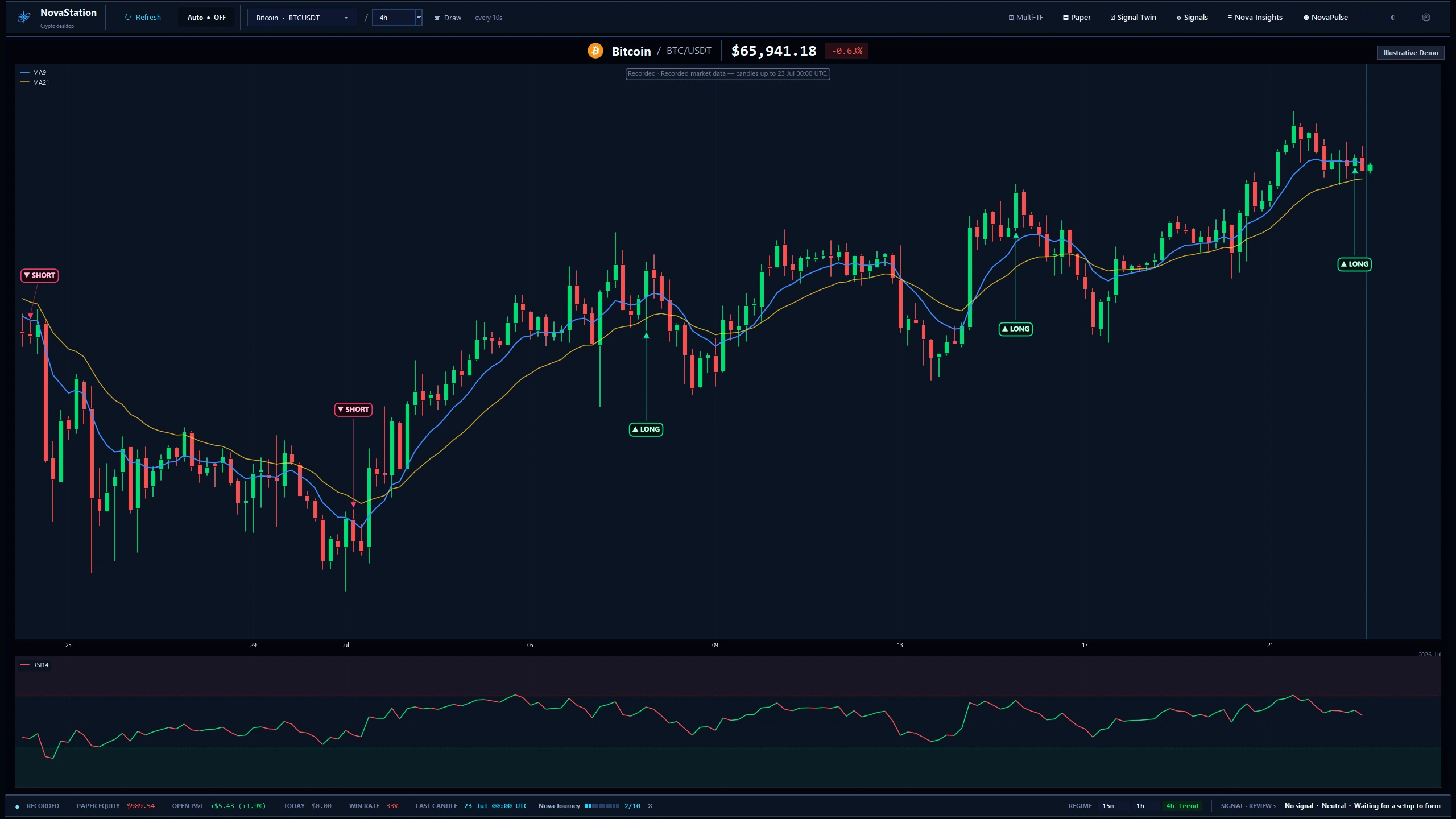
The NovaStation workstation on a recorded BTC/USDT 4h chart: MA9 and MA21 over the candles, sparse LONG and SHORT setup markers, an RSI panel underneath, and a status bar showing the last recorded candle, the timeframe regime and the engine's current no-signal review. The app labels the frame Recorded and Illustrative Demo.
The main workstation on a recorded BTC/USDT 4h chart. The frame is labelled Recorded and Illustrative Demo — this is a captured session, not live data.
Continue to Inspect

Chapter 2 of 4 Inspect

An alert should arrive with its reasoning.

When something triggers, the Gate Inspector shows the conditions behind it, so an alert arrives with its reasoning attached.

What to look for

Which conditions were still waiting when the alert fired. That is the difference between a trigger and a setup.

An alert reports what changed. It does not tell you what to do about it.

NovaStation's Gate Inspector over a recorded BTC/USDT 4h market snapshot: a plain-language list of the engine's entry conditions — trend, momentum, volume, closed-candle, multi-timeframe, cooldown, volatility and structure — in a genuine mixed state of passed, still-waiting and blocked checks, labeled 'Historical Market Snapshot'.
The Gate Inspector on a recorded snapshot: every entry condition the strategy checked, in a genuine mixed state of passed, waiting and blocked.
Continue to Monitor

Chapter 3 of 4 Monitor

Let NovaPulse hold the watch.

NovaPulse watches the pairs you picked and tells you what actually moved, so you are not sitting in front of a screen all day.

What to look for

The example-preview label. NovaPulse ships with a sample feed and replaces it with your own alerts as it logs them.

Monitoring is about being told what changed, not about watching everything.

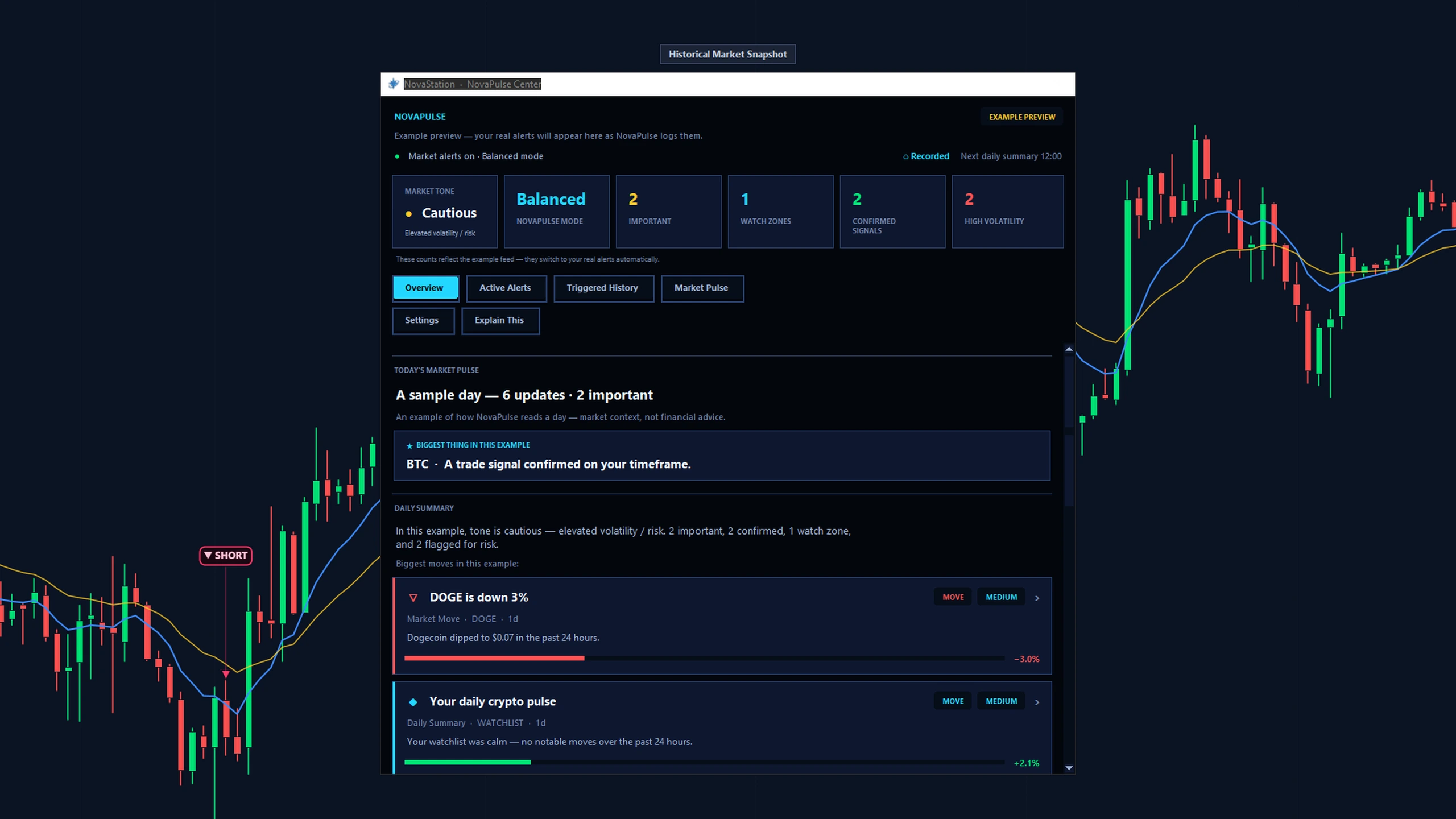
The NovaStation NovaPulse Center in its example-preview state, over a recorded market snapshot: market tone, alert mode, and counts for important, confirmed, watch-zone and high-volatility items; tabs for overview, active alerts, triggered history and market pulse; and a sample day's feed. The window states that this is an example preview and that your own alerts replace it as NovaPulse logs them.
The NovaPulse Center in its example-preview state. The app says so on the window: your own alerts replace this feed as NovaPulse logs them.
Continue to Review

Chapter 4 of 4 Review

Find out whether the watch was worth keeping.
NovaInsights keeps the alert history, which is how you find out whether what you are watching is worth watching.

What to look for

Which pairs generated alerts you actually acted on, and which ones only generated interruptions.

A watchlist you never review is a watchlist that only ever grows.

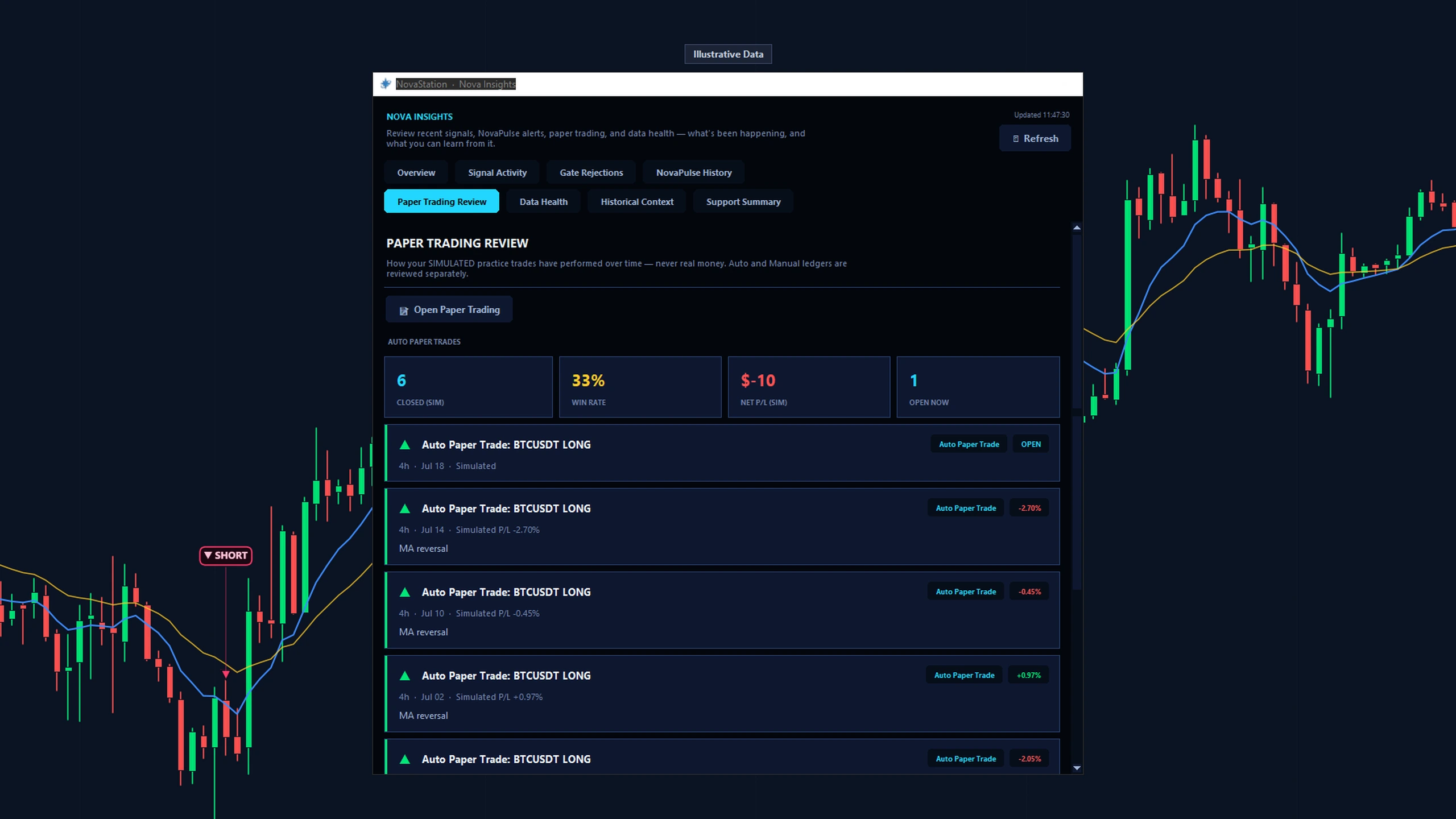
NovaStation's Nova Insights review window on the Paper Trading Review tab, labeled 'Illustrative Data': a summary of a simulated paper-trading record — closed trades, win rate, total P&L and an open position — generated from the app's own reconciled paper ledger, not real trading results.
Nova Insights on the Paper Trading Review tab, labelled Illustrative Data. The figures come from the app's own reconciled paper ledger, not from real trading.
See what to do next
First move

Do this first.

Choose a small watchlist and inspect one triggered alert.

Access

What this path costs.

Lite Chart

Trial or Premium Inspect · Monitor · Review

Trial 7 days · starts inside the app · no card

Chart is the free Lite workspace — for as long as you like, with no account and no card. The other stages are Premium: you start the trial from inside the desktop app, not from this website, and it does not ask for a card. See pricing for what Premium costs afterwards.

  • An alert reports what changed on a pair you chose to watch. It is not an instruction.
  • An alert is not a prediction of what happens next, and neither is the signal behind it.
Next

Continue in NovaStation

Lite is free, chart-only and needs no account. An account is for managing Premium, your license, billing and your devices. NovaStation requires a Windows 10 or 11 PC.

Download NovaStation Download for Windows View Windows Download View Windows Download Details Read the Quick Start

Lite is free and does not require an account. Create an account when you want to manage Premium, your license, billing, or devices.

NovaStation requires Windows 10 or 11. You can prepare your account here and download it from a Windows PC.

NovaStation is a Windows desktop app. Lite remains free and does not require an account.

Inside the app, Nova Journey can show you where alert routing lives — optional, and dismissible whenever you like.

Starting somewhere else? Change starting path