Read a marked setup the way the engine read it: which conditions passed, which blocked it, and how comparable setups resolved before.
4 chaptersChart · Signal · Inspect · Compare
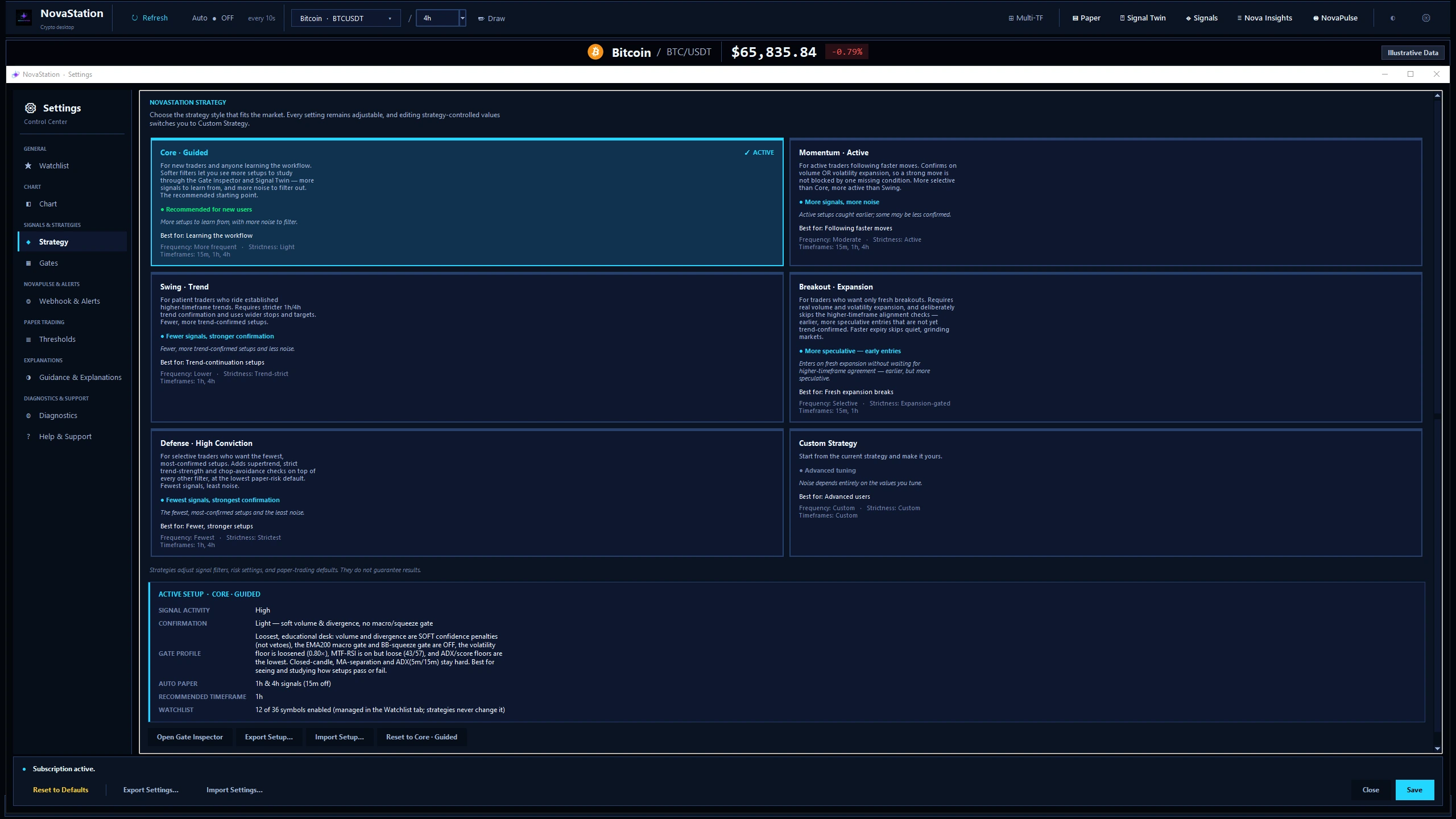
The Strategy screen and its six presets, with Core — Guided active. Each preset states who it suits and what it trades off; none of them guarantees a result.
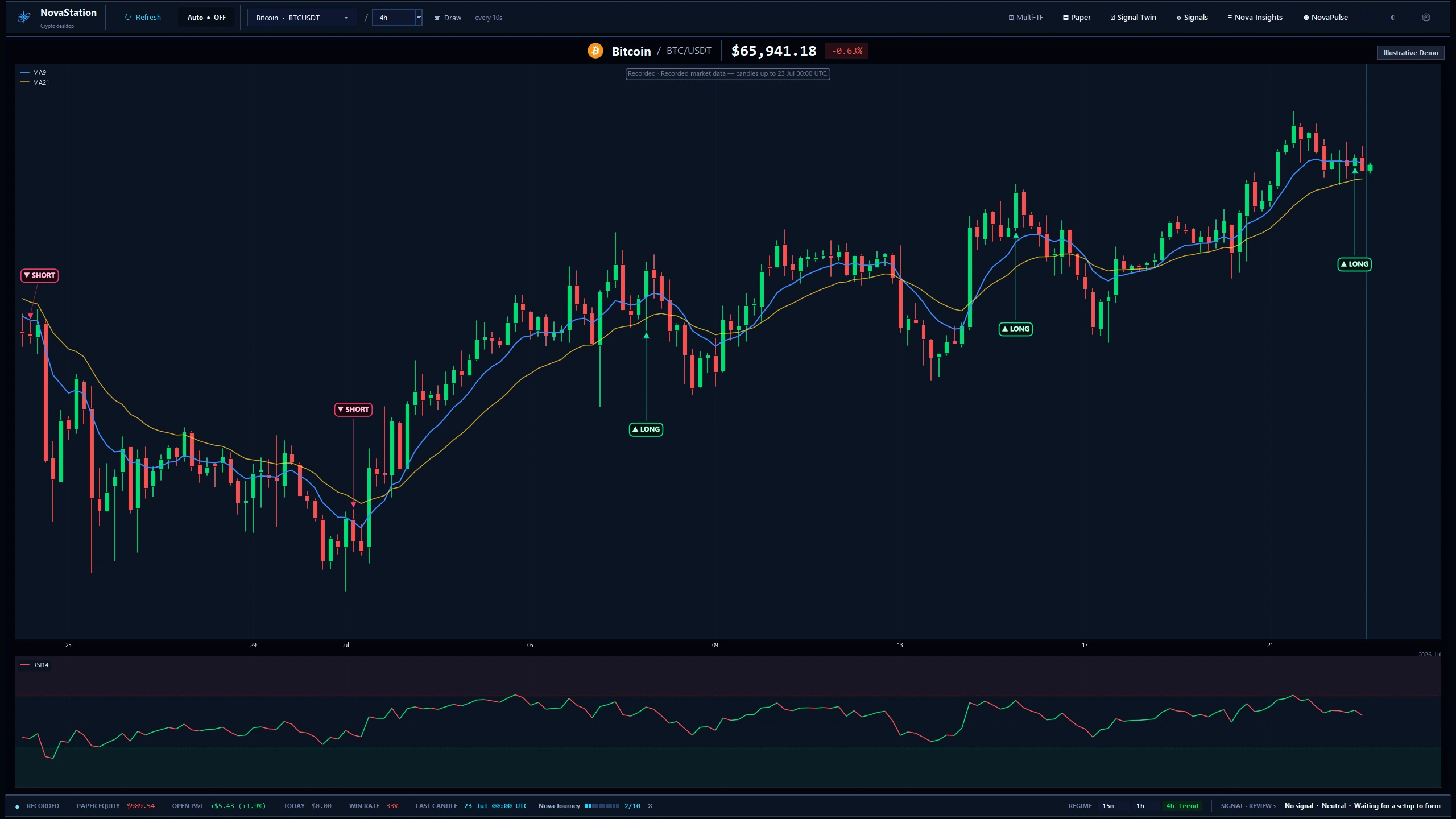
NovaStation opens on the chart, with nothing marked on it yet — the same candles the strategy is about to judge.
What to look for
The status bar under the chart — the last closed candle, the timeframe regime, and the engine's current read before any marker exists.
The main workstation on a recorded BTC/USDT 4h chart. The frame is labelled Recorded and Illustrative Demo — this is a captured session, not live data.
Context comes first. The marker is an answer to a question the chart already asked.
Signal Twin finds setups that formed under similar conditions, so the current one is read against something rather than in isolation.
What to look for
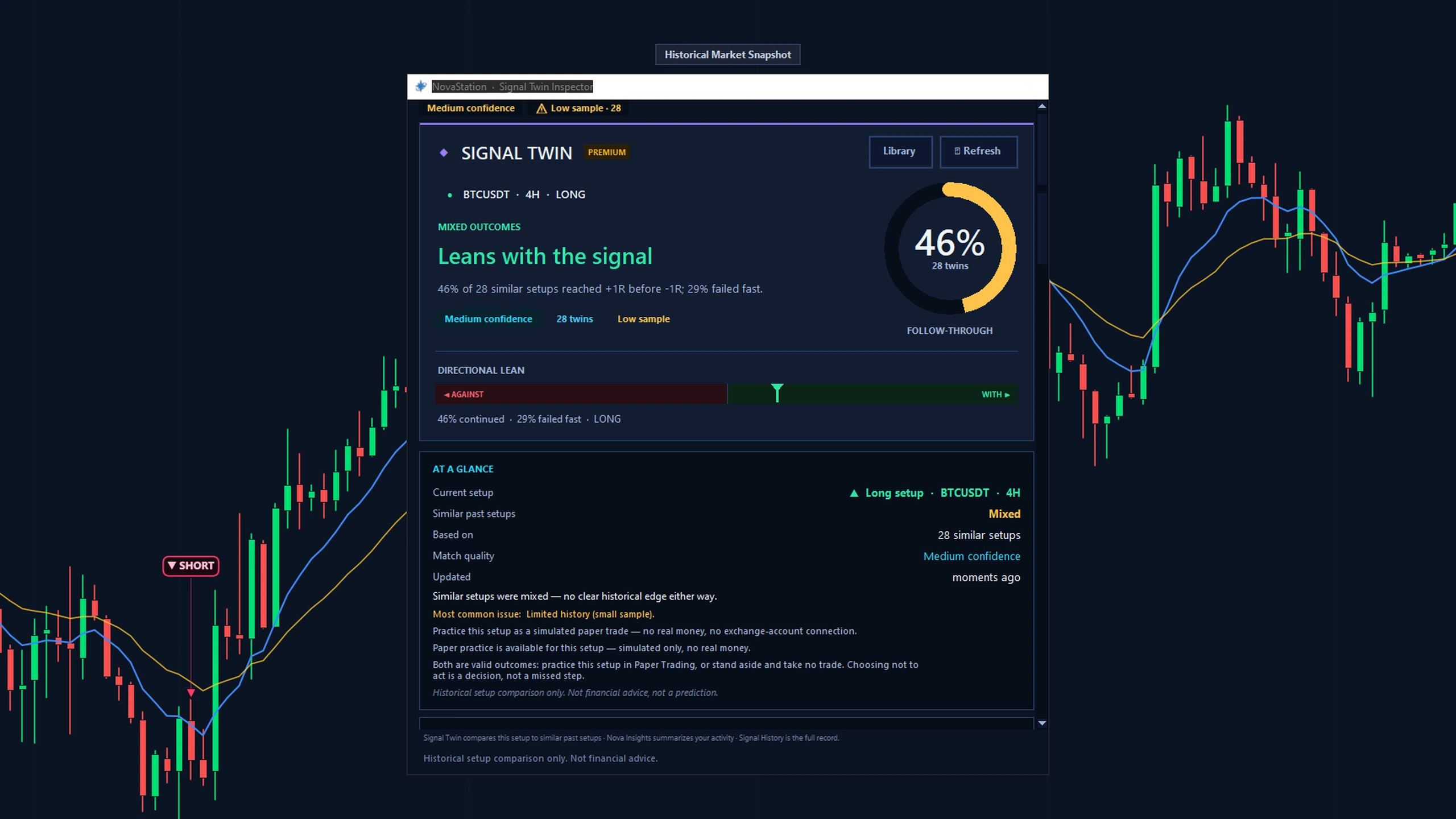
The sample size and the confidence flag before the headline percentage. A small sample is a caveat, not a result.
Signal Twin on a recorded snapshot: one LONG setup against 28 comparable past ones. The window flags the low sample and reads “mixed — no clear historical edge”.
Open one marked setup and identify what passed, waited, and blocked.
Access
What this path costs.
LiteChart
Trial or PremiumSignal · Inspect · Compare
Trial7 days · starts inside the app · no card
Chart is the free Lite workspace — for as long as you like, with no
account and no card. The other stages are Premium: you start the trial
from inside the desktop app, not from this website, and it does not ask for a card.
See pricing for what Premium costs afterwards.
A signal is context, not an instruction. NovaStation marks what it read; the decision stays yours.
Historical comparisons describe what already happened. They are not predictions.
Next
Continue in NovaStation
You've explored this starting path.
You read a marked setup the way the engine reads it: the chart it formed on, the conditions it scored, and the comparable setups behind it.